
What is Elasticsearch
Elasticsearch is a caching mechanism which allows your customers to access a variety of different data points quickly and efficiently.
Support for Elasticsearch
commercebuild continues to build in support for Elasticsearch into the platform, including automatic reindexing when certain events occur in your store. For example, when you modify a content page, we automatically reindex that page so that it shows correctly for B2C guest users.
Reindexing Elasticsearch Manually
There may be events that do not automatically trigger reindexing. Therefore, we recommend that you periodically run a Reindex job.
To achieve this, go to Catalog > Product Settings > Elasticsearch and click Reindex.
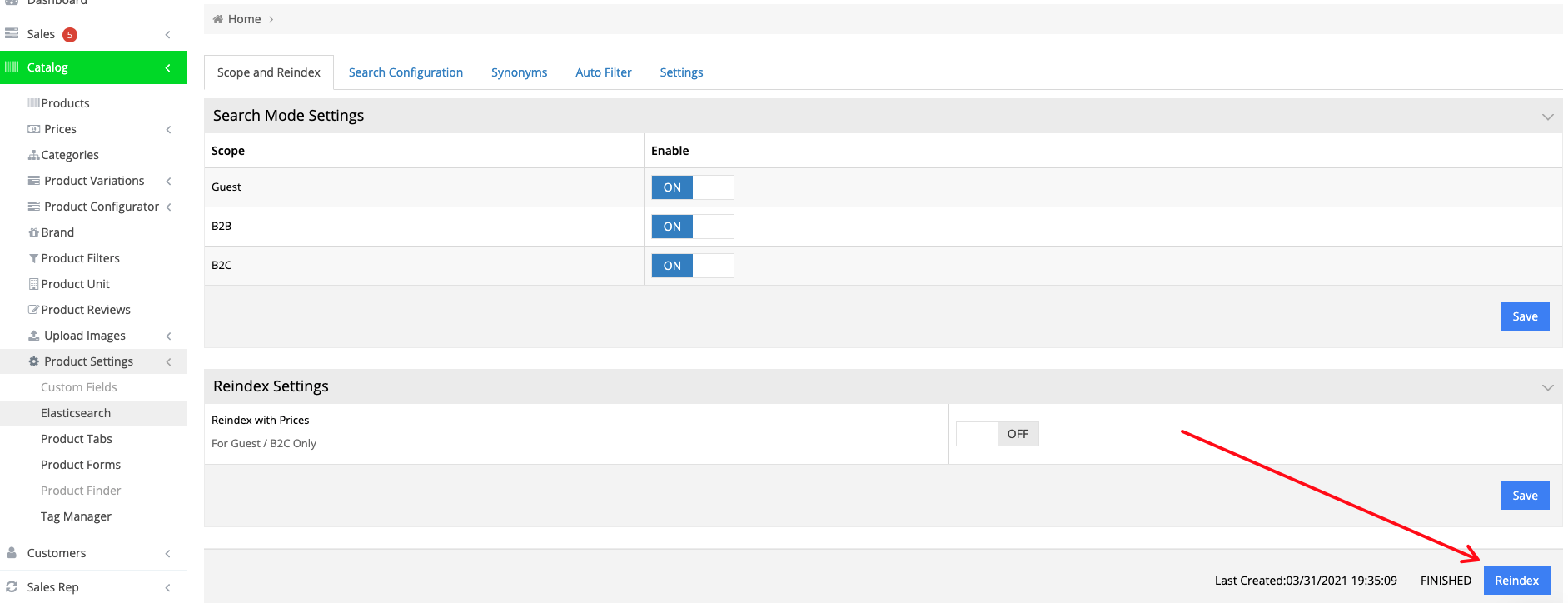
Please note: The Last Created timestamp shown on the reindex page only updates when a brand-new index is created manually using the Reindex button. The index itself continues updating automatically in the background as changes sync from the ERP, and B2B/B2C sorting prices also refresh daily as expected. These automatic updates do not affect the timestamp shown there. You will only see that date change after running a manual reindex.