
Please Note: custom field mappings are a paid add-on. Please reach out to the support team or your account manager to find out if your plan includes this feature.
Through custom field mappings, configured by our support or implementation teams, we can map custom data from your ERP to your web store to be displayed on the content grid. The locations that support custom field mapping include:
- Orders
- Order Details
- Quotes
- Quote Details
- Invoices
- Invoice Details
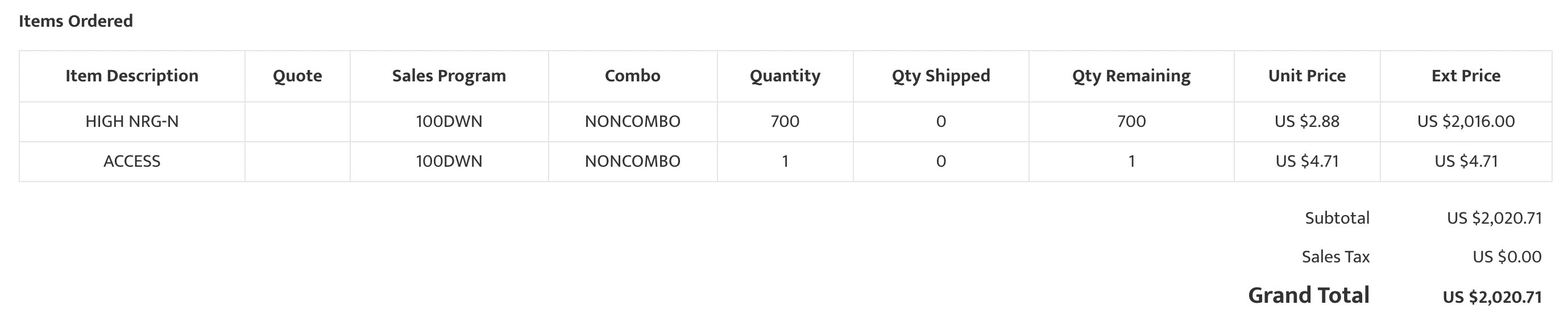
This can be useful if there is custom data in your ERP that you wish to display to your customers, that isn’t natively supported by the web store. In the following example, we are displaying values for “Quantity Shipped” and “Quantity Remaining”, which are values being pulled from custom columns configured in Sage X3.
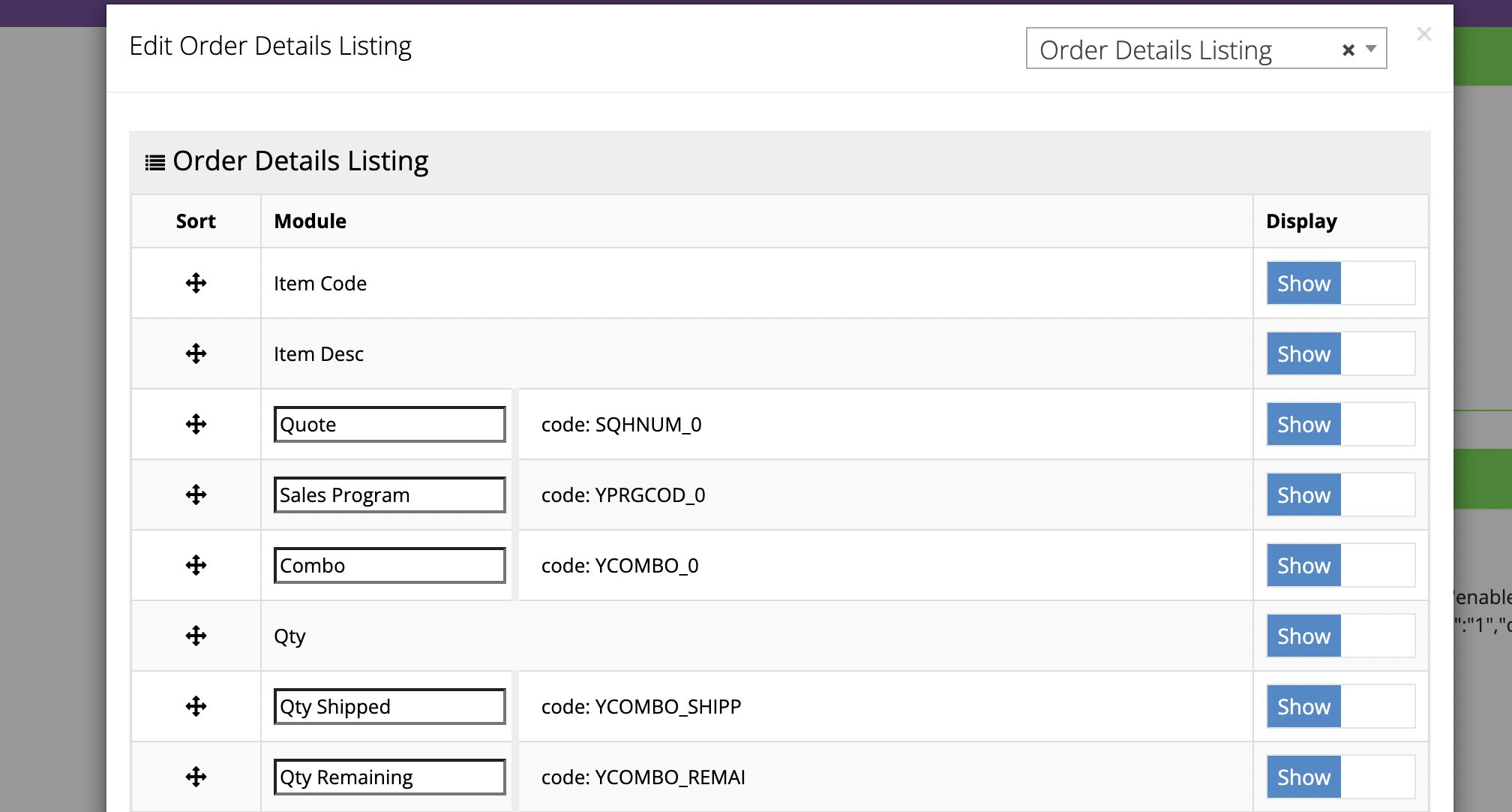
After the custom mapping is configured by commercebuild, those values become available on the content grid. Once enabled, they are visible to customers on the front end:
If you would like to discuss mapping custom data to your commercebuild store, please reach out to our team for further details.