
Overview
Want to visually enhance your webstore categories and help customers quickly identify the exact product or component they’re looking for?
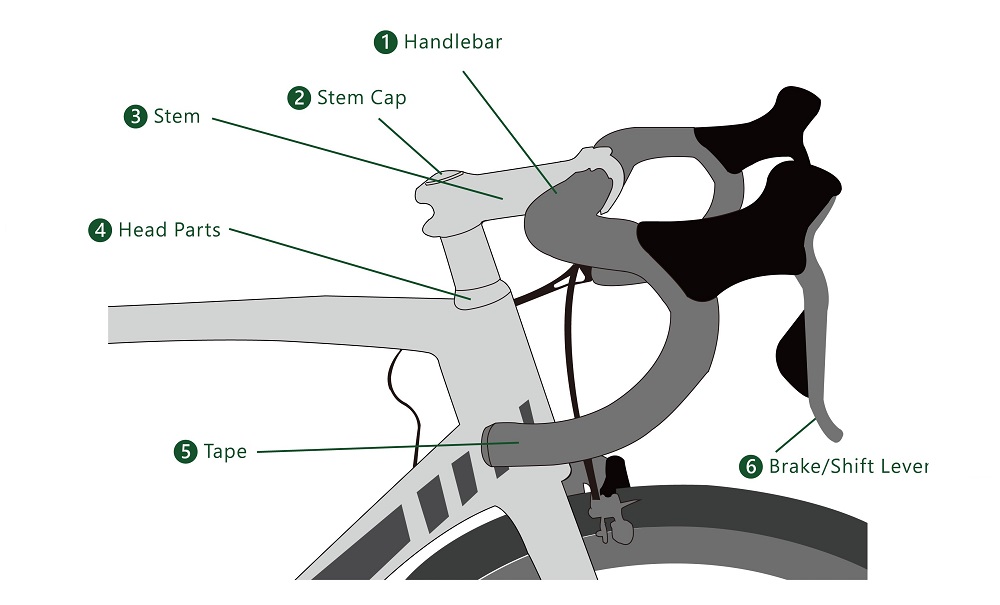
Embedding Exploded Parts Diagrams into your webstore categories allows you to display interactive diagrams that dynamically link to your categorized products. Instead of relying only on text lists or filters, users can visually explore a diagram and navigate directly to the relevant product.
This approach works beautifully for spare parts, assemblies, machinery components, technical products, bundled items, and any catalog where visual identification improves the buying experience.
In this guide, you’ll learn how to embed exploded diagrams into your webstore categories and connect them dynamically to your products.
We’ve included a step-by-step video walkthrough to help you implement this smoothly. If the video doesn’t load, you can use the direct link provided below.
Click on this link in case the video isn't loading
You can also access the online tool discussed in the video here: https://marker.kasem.dev
Follow along, test it in your store, and you’ll have an interactive, visual browsing experience ready for your customers in no time.