
Overview
The Promotion Item Flag gives you control over which products can or can’t use promo codes. Once you enable it, you can exclude specific items from promotions and control how promo codes behave when those items appear in the cart.
This feature follows a strict all-or-nothing rule, so it’s important to understand how the settings interact before using it in production.
Enabling the Promotion Item Flag
Go to: System → Features → enable Promotion Item Flag
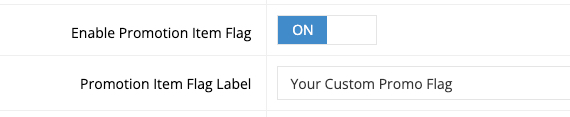
Once this feature is enabled, additional promotion controls become available across promo codes and products.
Promo Code Level: Exclude From Promotion
When creating or editing a promo code, you’ll now see an option with that Promo Flag that can be enabled or kept off. Here is a screenshot for your reference:

This setting tells the system that the promo code should respect product-level exclusions.
Product Level: Exclude From Promotion
On individual product settings, you’ll also see the same Exclude From Promotion flag under the General Tab.

When this flag is turned on for a product:
- That product is excluded from the promo code
- The promo code checks the cart for excluded items before applying
How the Logic Works (Important 🚨)
This feature follows an all-or-nothing rule.
Here’s how it behaves:
- ✅ Promo code has Exclude Promotion enabled
- ✅ Product has Exclude From Promotion enabled
What happens?
- Users cannot use the promo code on those excluded products ✅
- Users can use the promo code on other eligible products ✅
- ❌ If even one excluded product is in the cart, the promo code will not apply at all
That means: The presence of a single excluded item blocks the promo for the entire cart.
This is expected behavior based on the current promo logic.
Key Takeaway
- The Promotion Item Flag is powerful but strict
- It’s designed for scenarios where promos must fully respect exclusions
- Mixed carts (excluded + eligible items) will prevent the promo from applying entirely