
You may want to view all pages on your site that Google can crawl which also 404. To achieve this, make sure you have added your website to Google Search Console.
Once it’s added, you can then monitor for 404 pages.
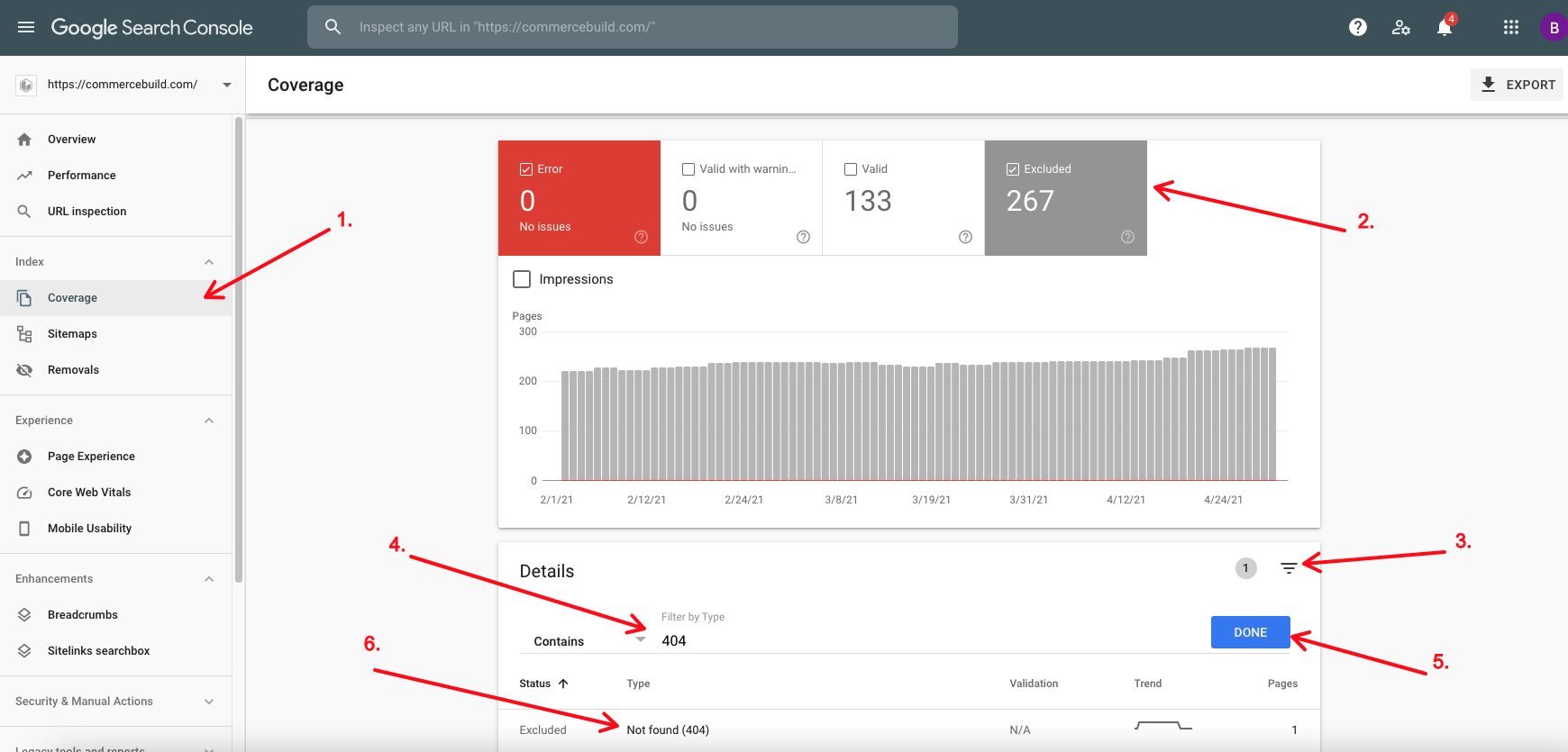
- Click “Coverage”
- Click “Excluded”
- Add a filter for “Type”
- Set the filter to return data that contains “404”.
- Click Done
- Observe the results. You can click the this area to see the specific links.
