
In order to enable the promotion field to input a promotion code in the checkout process, please follow these instructions.
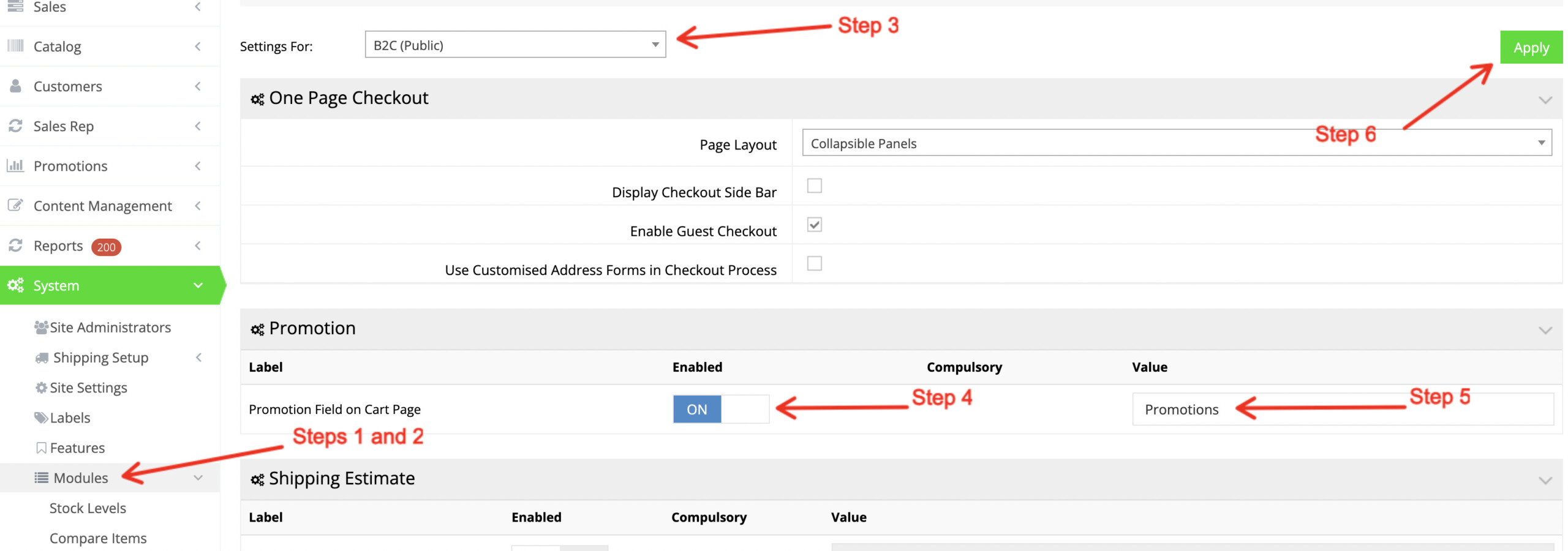
- Go to your web store dashboard
- Click System > Modules > Checkout Process
- Choose the user scope under the Settings For: dropdown, i.e. B2B (Dealer) or B2C (Public)
- Scroll down to the Promotion section and toggle ON/enable the Promotion Field on Cart Page.
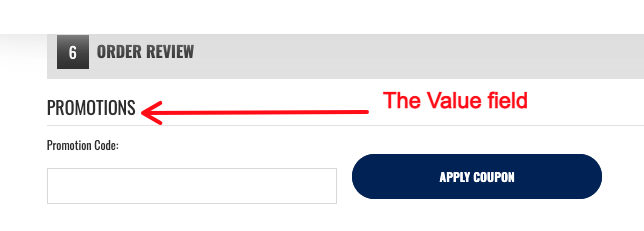
- Next, specify the Value. This will be the heading in the checkout (see image below)
- Finally, click Apply.
Now, the Promotion Code input should be visible in the final step of the checkout:
You may also watch this video for the above steps:
[videopress O3HEWlS1]