
Native buy-one-get-one promotions, data filters you can edit in place, quotes staff can build for prospects, and a set of portal, import and checkout improvements. The main commercebuild platform, Core, also picked up another round of security hardening.
Core 2026.10.5 and connector updates. Updated October 30, 2026. Published to STABLE (production) and RELEASE (earlier access).
In this release
- Buy one, get one promotions
- Edit a data filter rule in place
- Quotes for prospects
- Invoices behind a portal order
- Customer switching scoped by salesperson
- Customer Access and categories in product CSV
- Purchase order status from Sage X3
- Business Central prepayments
- Also in this release
- Security and reliability
Buy one, get one promotions
Stable and release. Core.
You can now run buy-one-get-one offers directly in commercebuild, without a coupon plugin or custom code. Create a coupon, check Enable Buy X, Get Y on its Usage restriction tab, then choose the products that qualify and the product you want to give away. The offer runs on your normal product and price data.
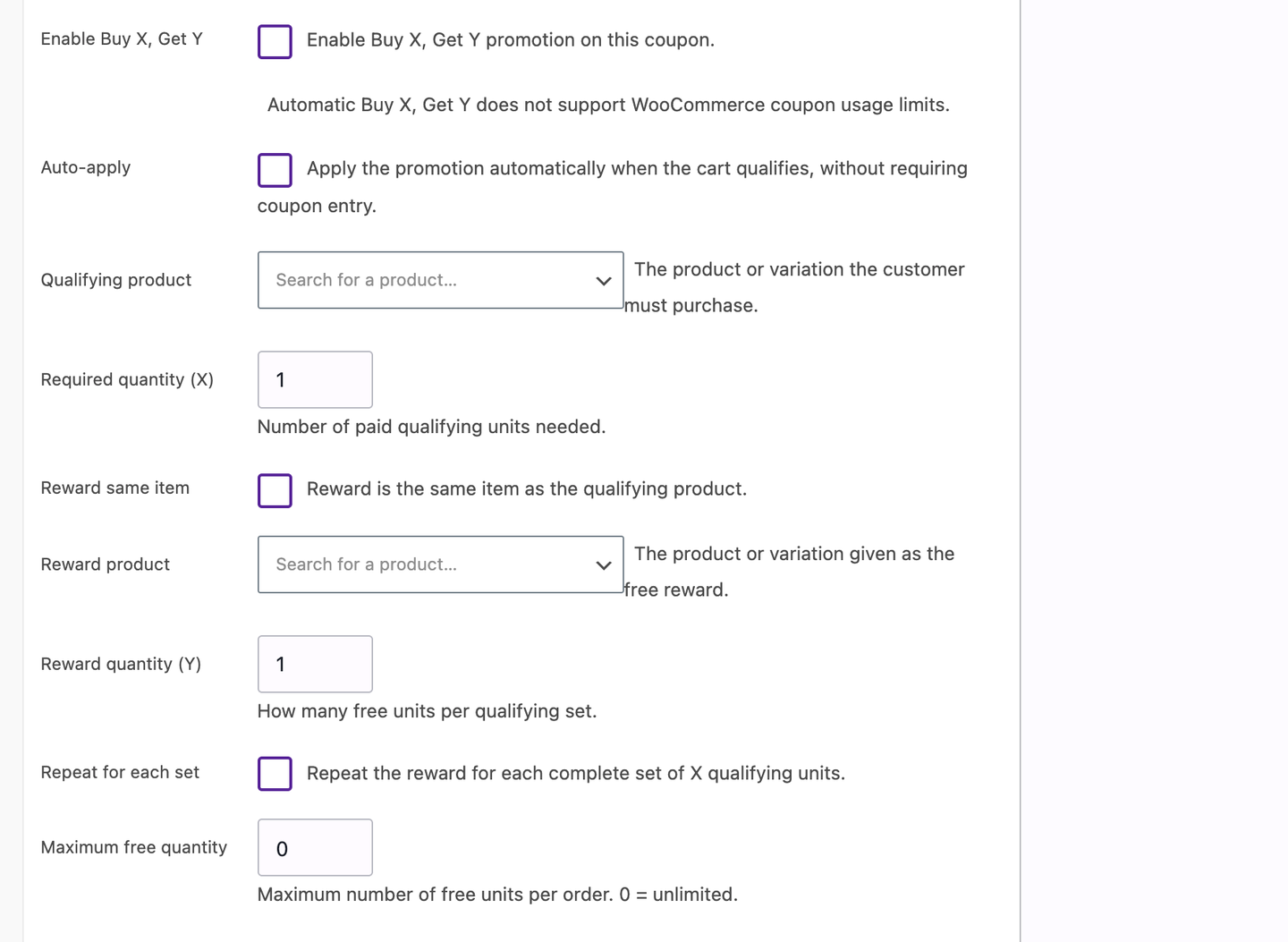
Check Enable Buy X, Get Y on a coupon, then choose the qualifying product and the reward.
When a shopper earns the reward, commercebuild checks that the reward product is actually available to that customer before it goes in the cart. A promotion can't be used to get around a product access rule. The reward line also carries through to the ERP order the way a normal line does, so totals and stock stay correct on the other side.
Good to know: existing coupons and price rules keep working exactly as they do today. The offer is per coupon, so it only runs on the coupons where you check the box.
Edit a data filter rule in place
Stable and release. Core.
Data filters can now be edited in place. Open an existing rule, change the condition, save, and the same rule updates. You no longer have to delete a rule and rebuild it to change one field.
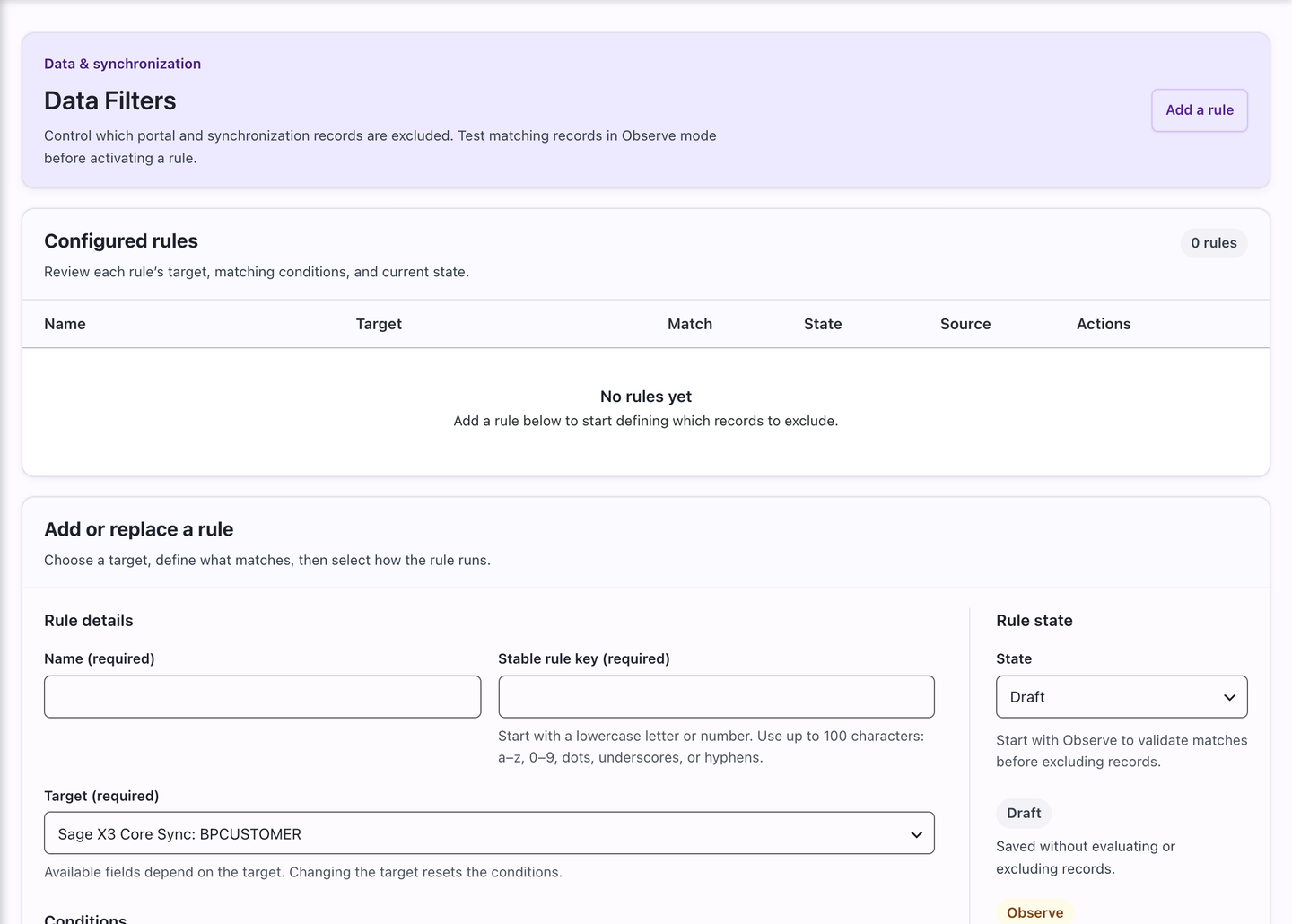
Data Filters in the admin. Rules are added or replaced from the form below the list.
You can also pick exclusion values from lists provided by your ERP connection, so an exclusion always points at real values instead of a list you keep up to date by hand.
Good to know: rules built before this release stay as they are. Nothing needs to be recreated.
Quotes for prospects
Opt-in, off by default. Core. Sage Distribution and Manufacturing Operations.
Staff can now build a quote for someone who isn't a customer yet. Add the prospect's details, price the lines, and check the quote out on their behalf when they're ready to buy.
The quote keeps its payment details, tax, addresses, composite components and any saved custom-item choices as it moves to an order, so your team doesn't re-enter the same details at the end.
Before you turn it on: this workflow ships switched off for stores running the Sage Distribution and Manufacturing Operations connector. Enable it when your team is ready to use it.
Invoices behind a portal order
Stable and release. Core.
Portal transaction orders now expand to show the invoices attached to them. A customer can go from an order to its invoice without leaving the portal or asking your team for a copy.
Portal tables can now show only the columns your customers actually use, instead of every available field. Portals can also opt in to quote cart actions. When enabled, a quote's details show Reorder All Items and Add to Cart, so a customer can turn a quote into a cart without rebuilding it.
Invoice metric cards can now appear on their own, without the Account and Aging sections, when a policy limits what a customer is allowed to see.
Customer switching scoped by salesperson
Stable and release. Sage Intacct. Sage X3 GraphQL.
If your team switches between customer accounts in accounts receivable (A/R), the switcher can now show each salesperson only the accounts assigned to them, on Sage Intacct and Sage X3 GraphQL. A salesperson no longer scrolls the full customer list to find one.
Customer Access and categories in product CSV
Stable and release. Core.
Product CSV export and import now carry Customer Access settings. A round trip through a spreadsheet keeps the access rules on each product instead of dropping them and leaving you to set them again.
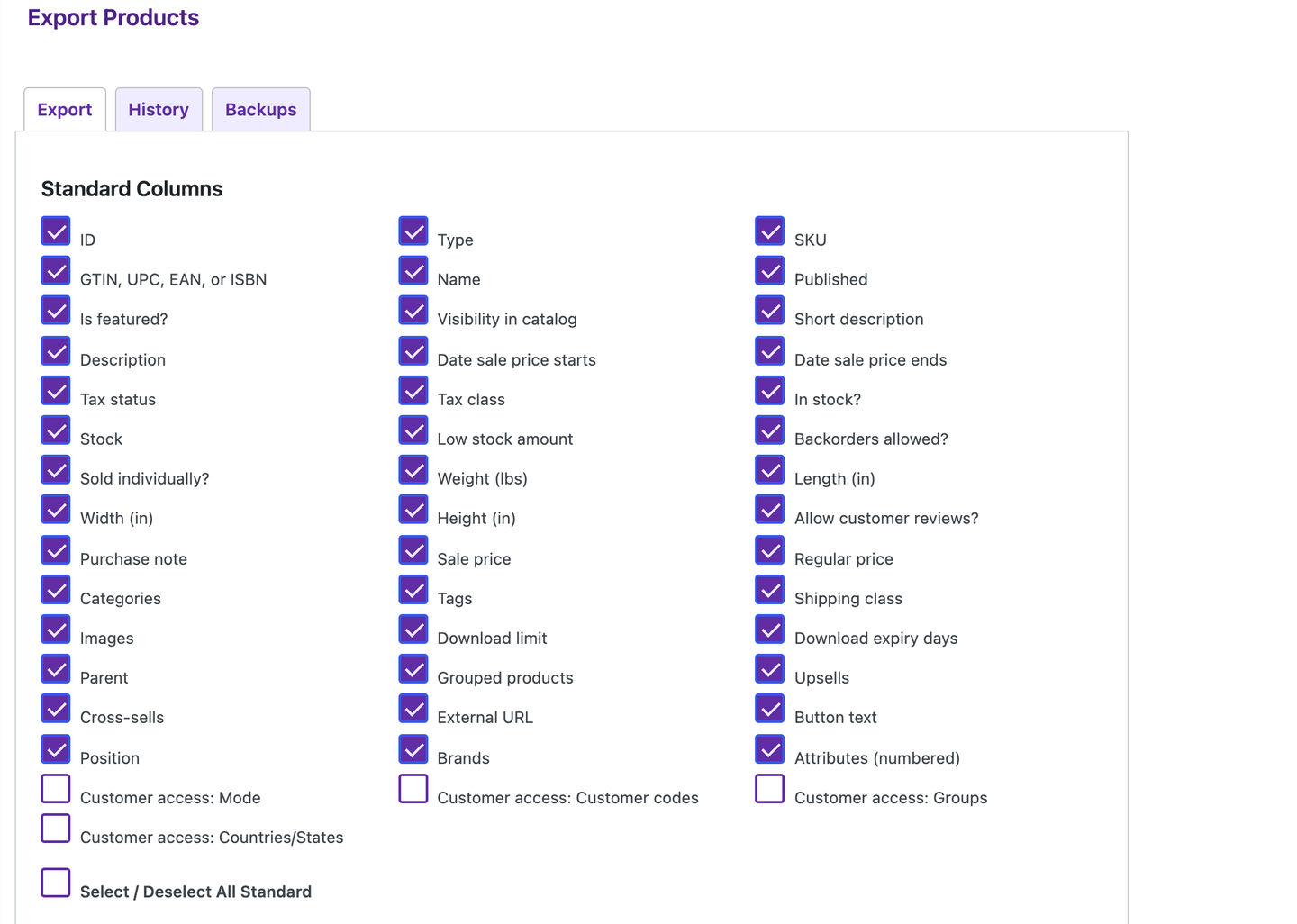
Customer access columns sit alongside the standard product fields in the Products export.
Imports also match categories by slug rather than by display name. That fixes the case where two categories share a name but sit in different parts of the tree and the importer had to guess which one you meant.
Purchase order status from Sage X3
Opt-in. Sage X3.
Stores that opt in can sync Sage X3 purchase order flags and see received, partially received and closed labels on accepted purchase orders, so staff can tell where a purchase order stands without opening Sage.
When the ERP flags are unknown or ambiguous, the purchase order keeps its submitted status rather than showing a label the data doesn't support. If your local menu values need friendlier wording, you can supply your own labels.
Good to know: synchronization is off by default and needs the matching Core display support, which ships in this release.
Business Central prepayments
Stable and release. Microsoft Dynamics 365 Business Central.
Business Central stores can take prepayments on sales orders. Before a prepayment reference is forwarded to Business Central, commercebuild verifies that the gateway actually captured the payment, so a reference is never sent for a payment that didn't go through.
Also in this release
Stable and release.
- B2B checkout keeps the billing country. When billing address management is on, the country a buyer enters is the one that reaches the order. This lands across Core and the Sage 300, Sage 300c, Sage Intacct, Sage Distribution and Manufacturing Operations, and Business Central connectors.
- Saved lists. The Availability column and Save Qty button can be hidden with the filters you already have, and Add to Project on a related product card now adds that product instead of the one on the main page.
- Sage X3 shipment notifications. A notification goes out the first time a configured tracking field arrives through incremental sync, with duplicate emails suppressed.
- Sage X3 order sync. Orders write to their own table, keep sales orders separate, and preserve exact item identities and quantities in full and incremental runs. An active connector creates the missing table on its next normal start.
- Sage X3 purchase orders reconcile. A full reload now clears the status only for purchase orders that are truly gone from Sage X3. Purchase orders still in Sage keep their status.
- Sage 300 accuracy. Unit-of-measure rows now land in the right place on some database setups, and the order-detail customer item column now migrates before the connector starts.
- Sage 300c setting is honored. Turning off ERP category assignment now actually stops category mapping, and a busy ERP status lock no longer interrupts a profile save or customer sync.
- Sage Distribution and Manufacturing Operations customer sync. Long names and street lines are no longer dropped, sales rep assignments refresh including removals, and ship-to defaults follow the Sage primary flag.
- Faster catalog pages. Prices that haven't been viewed lately are fetched from your ERP in the background, category pages fetch prices in batches, and category tiles no longer flash placeholders over real prices.
- Switch User and exports. Switch User search now loads results page by page, each switch session is tied to its own sign-in, and responsive card tables keep their permitted columns when you export the current page.
Security and reliability
Core.
Core picked up another round of hardening in this release:
- Checkout file upload fields only accept an attachment that belongs to the current checkout session and is unclaimed, or claimed by the order being processed.
- Media duplicate and overwrite handling checks edit permission on every candidate attachment before it moves a file, regenerates metadata, remaps product images or deletes a duplicate.
- Facebook catalog pricing reads the public price row and works in an isolated cart, so a catalog price or quantity break can't be inherited from a signed-in cart.
- Hidden alternate unit-of-measure purchase paths now respect product authorization while catalog discovery rules stay as they are.
- Google Workspace SSO now loads as a separate component. If it can't load, the failure is logged and password sign-in stays protected.
- An order, payment or sync job that gets an unclear result from the ERP is held for staff review instead of being retried blindly, and each order is serialized so a reconciled follow-up can't run twice.
